Good afternoon.
The list of our integrations modules is updated with another useful module called User Agent. With this module, you can determine which browser, mobile device, and operating system the user submitted the form on.
In order to enable this module, go to the modules section of the form you want to add and find the new User Agent module:
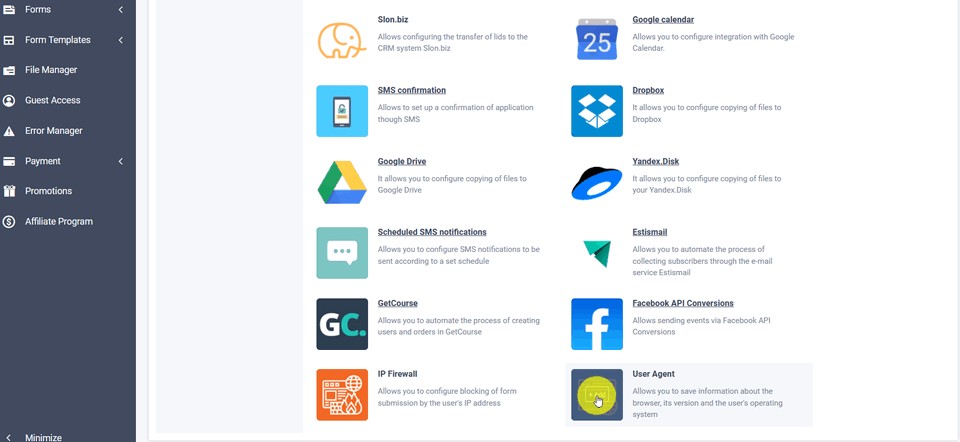
Hover the mouse cursor over it and click the Add button, you will see a window with the settings for the User Agent:
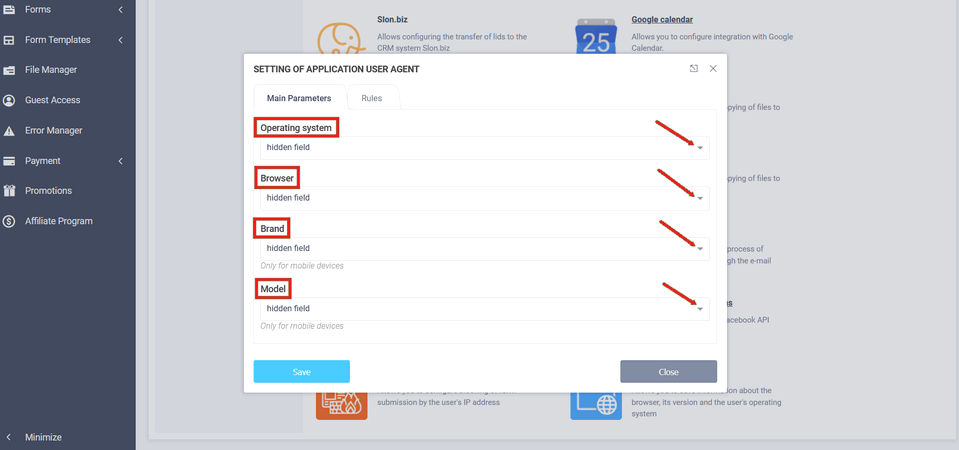
As you can see in the image above, this module prompts you to complete 4 items:
- Operating system
- Browser
- Brand
- Model
In these lists, you need to select the elements on the form where you want those values to be written. To do this, you need to add hidden fields to the form. So you don't need to add 4 separate fields, it is enough to add one hidden field and select it in all 4 lists. This way, all information will be written on one line to that field.
After all the items are filled out, don't forget to click the "Save" button. This completes the module setup.
That's all for today. Have a great day!