
A placeholder is hint text inside an empty field. It stays visible until the person types, then it disappears. It is not the field label. The label has to remain on the screen.
In a web form almost every field has a placeholder. It is often used as a stand-in for the label, an example, or a long note. Below are four of those substitutions, and where to move the text so the hint does not vanish.
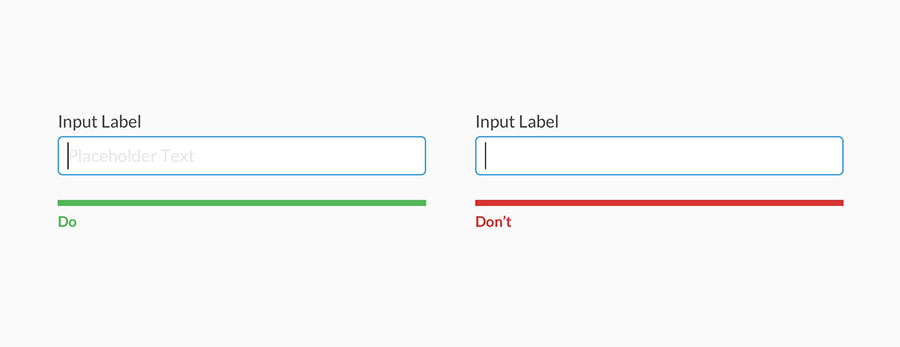
The label and the example stay on screen. Text inside the field is only a short hint.
What a placeholder should not replace
| How the placeholder is used | What happens | Where to put the text |
|---|---|---|
| Instead of the field label | The label disappears on click | Above the field, in a label |
| Instead of an example | The example disappears as typing starts | Below the field |
| Instead of a long note | The text does not fit and disappears too | A hint next to the field, or text below it |
| Instead of a heading | Once the cursor is in the field, it is unclear which field it is | A separate label |
Placeholder as a label
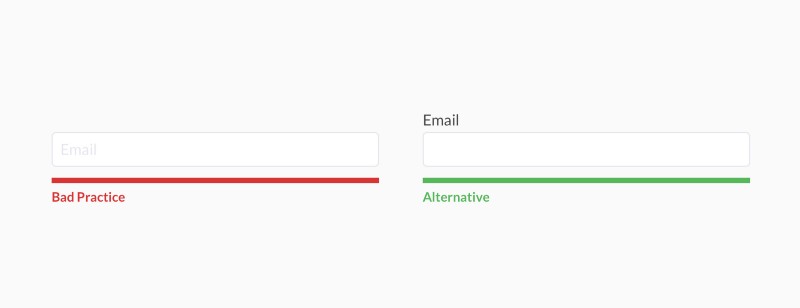
The explanation sits above the field, not inside it.
To make a form look shorter, the label is placed inside the field. That reads well while the field is empty. The moment someone clicks or types the first letter, the text is gone. To recall the question, they have to delete what they already typed.
Keep the label above the field. An empty field with no label gives no hint about what to type next.
Placeholder as an example
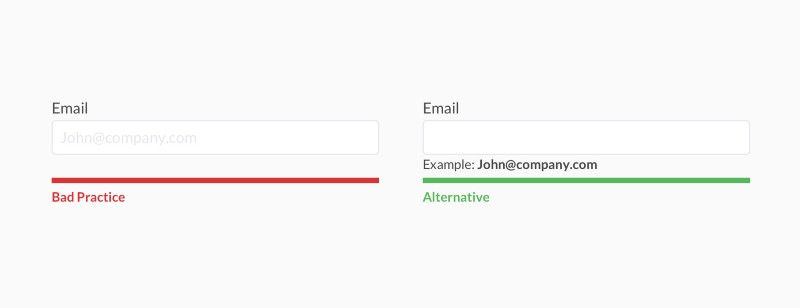
Put the sample input below the field, not in the placeholder.
An example shows the expected shape of the answer: a phone number, a date, an order id. If that sample lives in the placeholder, it vanishes the second typing starts. Put the sample under the field. It stays visible before and during input.
Placeholder as help text
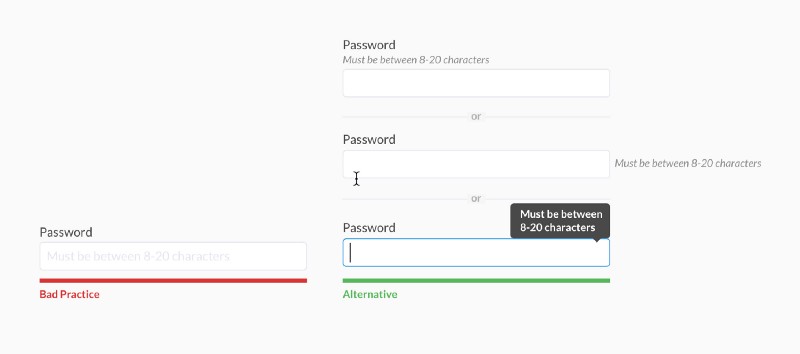
Do not put a long explanation in the placeholder.
Sometimes the field holds a full sentence: the format, a limit, why the question is there. It does not fit on one line, and it disappears while typing. A short hint can stay in the field. Long text belongs below the field, or in a hint attached to the label.
Placeholder as the field title
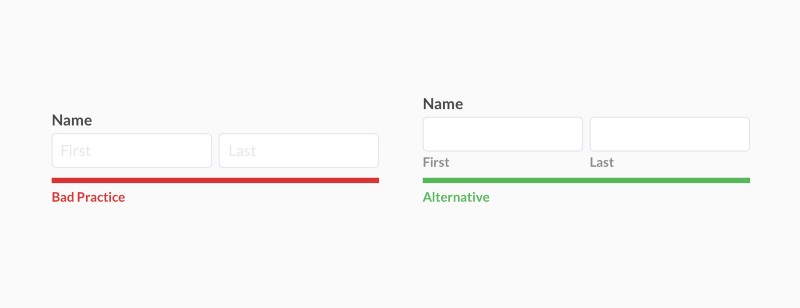
The field title is a label, not a placeholder.
A name sitting inside an empty box looks tidy, but the name disappears on click. The field name needs a label. The label stays put once the box already contains text.
If you still need a placeholder
A form is usually easier without text inside the fields. If a hint inside the field is still needed, it has three limits.
Make the placeholder quieter than the typed text
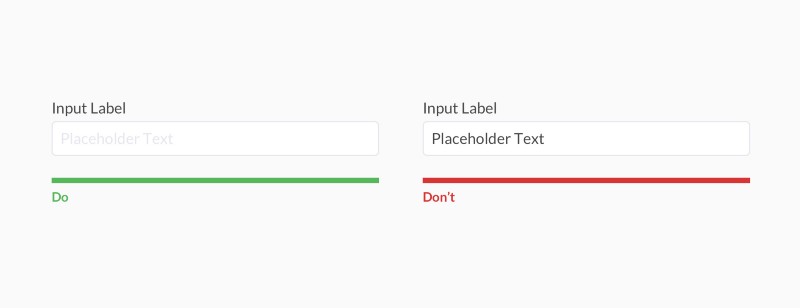
A lighter color separates the hint from text the person has typed.
People fill empty fields. If the hint is the same color as the answer, the field looks already filled and gets skipped.
Keep the placeholder readable on every screen
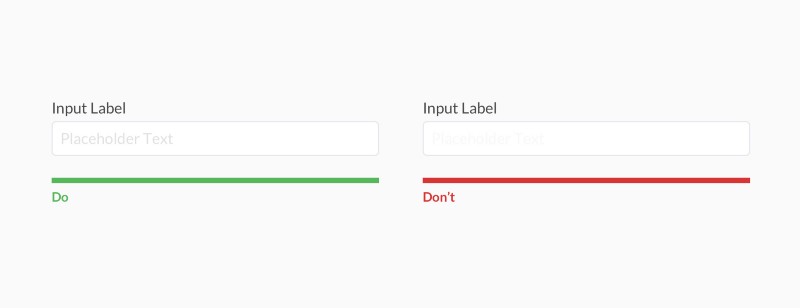
Text that is too light disappears on some screens.
A gray chosen only for looks may still be readable on a bright monitor and blend into the background on another screen. The hint has to differ from the answer and stay legible.
Do not hide the placeholder on click alone
.jpeg)
Text inside the field stays until the first character is typed.
If the hint disappears when the cursor enters the field, it is gone before any typing. It should disappear only when the field contains the person’s own text.
Source: uxdesign.cc





 Frightfully low prices! 40% off annual plans + 3 months of QuizLead.io