“I’ll add it to the CRM later.”
— The sentence that costs businesses thousands in lost revenue every year.
A lead comes in at 11 PM. Your sales rep sees it the next morning. The prospect has already booked a demo with your competitor. Deal lost.
Manual data entry isn’t just inefficient — it’s expensive.
The good news? You don’t need a developer, API keys, or Zapier to fix it.
With FormDesigner, you can automatically create deals in HubSpot or Kommo the moment someone submits a form on your website — no code, no middleware, no delays.
Why automation matters for growth-focused teams
- Speed = revenue: Leads contacted within 5 minutes are 9x more likely to convert (InsideSales).
- Small teams can’t afford admin work: Every minute spent copying data is a minute not spent selling.
- Full funnel visibility: Track a lead from ad click → form fill → deal stage → closed-won — all in one place.
- Clean data: No typos, no duplicates, no ghost leads.
> Companies using automated lead capture close 30% more deals (Nucleus Research).
How it works: From form to deal — zero code required
- A visitor fills out your form (contact request, quiz, or pricing calculator).
- Data is sent through FormDesigner.
- FormDesigner instantly creates a contact + deal in HubSpot or Kommo.
- Your sales rep gets a notification — in CRM, email, or even Telegram.
- They reach out while the lead is still hot.
🔑 No webhooks. No API tokens. No Zapier fees. Just a secure, native integration that works out of the box.
Step 1: Build your smart form in FormDesigner
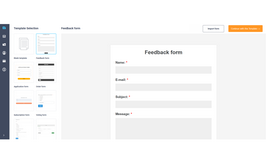
Start with a high-converting form:
- Simple contact form: “Name + Email” for quick inquiries.
- Interactive quiz: “Which plan fits your team?” → personalized offer.
- Online calculator: “Estimate your project cost” → dynamic pricing + CTA.
Include key fields:
- Name
- Phone
- Company
- Budget (optional)
- UTM parameters (auto-captured)
💡 Pro tip: Use conditional logic to show only relevant questions. Fewer fields = higher completion rates.
Step 2: Connect your CRM via built-in integration
For HubSpot:
- In FormDesigner, go to Applications → HubSpot.
- Enter HubSpot account e-mail address.
- Select your pipeline and initial deal stage (e.g., “New”).
For Kommo:
- Go to Applications → Kommo.
- Click “Connect” and authorize with your Kommo credentials.
- Pick your pipeline, status, and responsible user.
Step 3: Map fields & customize deal details (visually)
After connecting, you’ll see a simple drag-and-drop interface:
- Map form fields to CRM properties:
Email→Email,
Company→Company Name,
Budget→ custom deal property. - Customize:
- Deal name: e.g.,
Website Inquiry – {Company} - Deal amount: pulled from your calculator or set as fixed value
- Notes: auto-add
UTM Source: {utm_source},Landing Page: {page_url} - Tags/Labels:
source:landing-page,intent:high
- Deal name: e.g.,
Advanced automation you can enable today
- Route deals by service type:
“SEO inquiry” → assigned to SEO manager; “Dev project” → tech lead. - Track marketing ROI: pass UTM parameters into deal notes automatically.
- Prioritize leads: tag high-budget submissions as
enterpriseorhot. - Get instant alerts: receive new deal notifications in Telegram via @FormDesignerBot.
Why FormDesigner beats generic form builders
| Feature | Google Forms + Zapier | Typeform | FormDesigner |
|---|---|---|---|
| Native HubSpot/Kommo integration | ❌ (Zapier only) | ⚠️ (limited, paid) | ✅ built-in, free |
| OAuth login (no keys) | ❌ | ⚠️ | ✅ |
| Conditional logic + CRM sync | ❌ | ⚠️ | ✅ |
| Spam protection | ❌ | ✅ | ✅ |
| Pricing | Free + Zapier ($20+/mo) | From $25/mo | Free plan available |
> FormDesigner is the all-in-one solution: smart forms + logic + CRM sync — no middlemen, no markup.
Common pitfalls (and how to avoid them)
| Mistake | Fix |
|---|---|
| ❌ Wrong pipeline selected | Double-check pipeline during setup |
| ❌ No deal owner assigned | Always assign a default owner |
| ❌ Skipping test submission | Send a test lead before going live |
Real-world results
📈 Case 1: SaaS Startup (Berlin)
Before: Leads from pricing page were manually added to HubSpot → 40% delay in follow-up.
After: FormDesigner auto-created deals in real time.
Result: 28% increase in demo bookings in 6 weeks.
🎯 Case 2: Digital Agency (Warsaw)
Used a project cost calculator → auto-synced to Kommo with “Estimated Budget” field.
Sales team prioritized high-value leads instantly.
Result: 22% higher close rate on calculator-generated leads.
Conclusion: Your CRM should work for you — not the other way around
Automation isn’t a luxury for enterprises. It’s a baseline requirement for any team serious about growth.
With FormDesigner, connecting HubSpot or Kommo takes 3 clicks — and eliminates manual data entry forever.
You get:
- Faster follow-ups,
- Cleaner pipelines,
- Happier sales reps,
- More closed deals.
👉 Try it today:
Connect HubSpot or Kommo to your first form in FormDesigner.
Your next deal is waiting — don’t make it wait for you.
Bonus: Quick Checklist
- ✅ Build a smart form (quiz, calculator, or contact form)
- ✅ Connect HubSpot or Kommo via “Integrations”
- ✅ Send a test submission and verify the deal in your CRM