Hello.
We've added the application completion status to statistics: "Submitted" or "Incomplete."
Previously, it was difficult to tell in the application list whether a user had completed the form. This was especially noticeable in step-by-step forms and where the "Form Saving" integration was enabled: a user could fill out some fields, save their progress, and leave, but in the statistics, it looked almost the same as a regular submission.
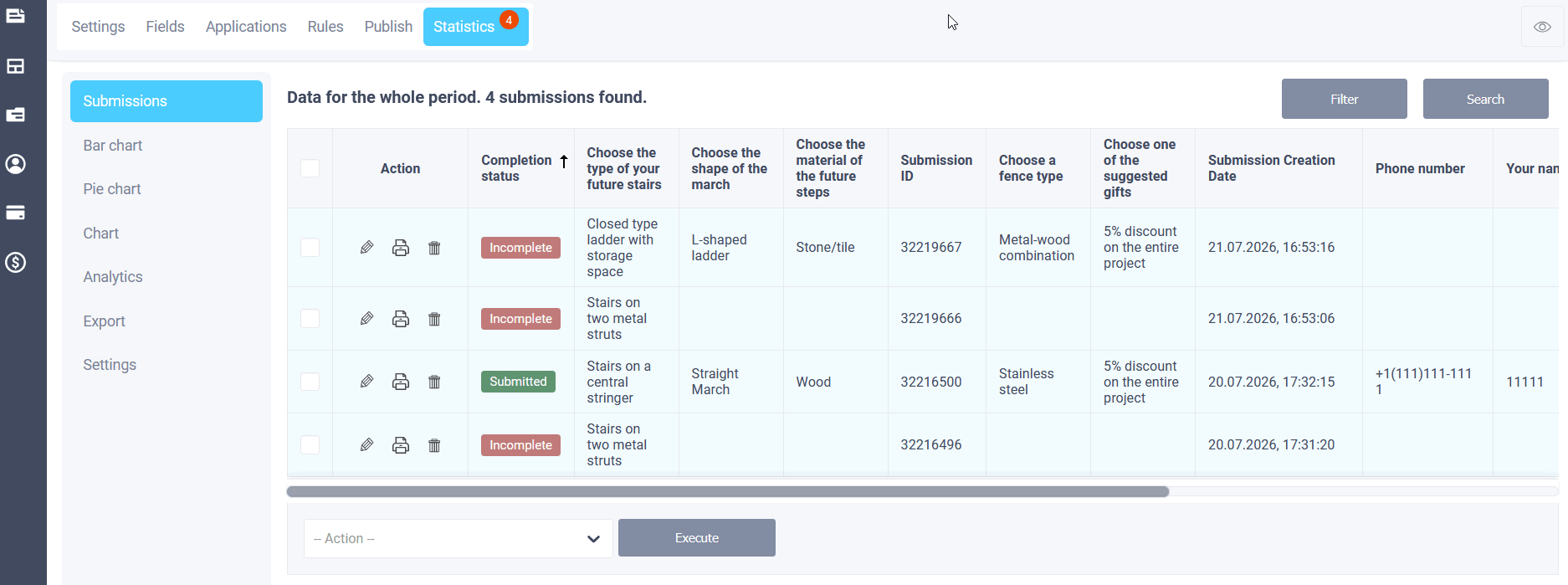
Now, for such forms, a separate column with the status appears in the application table:
- Submitted - the person has reached the end and submitted the form;
- Incomplete - the data was saved as it was being filled out, but the final submission has not yet taken place.
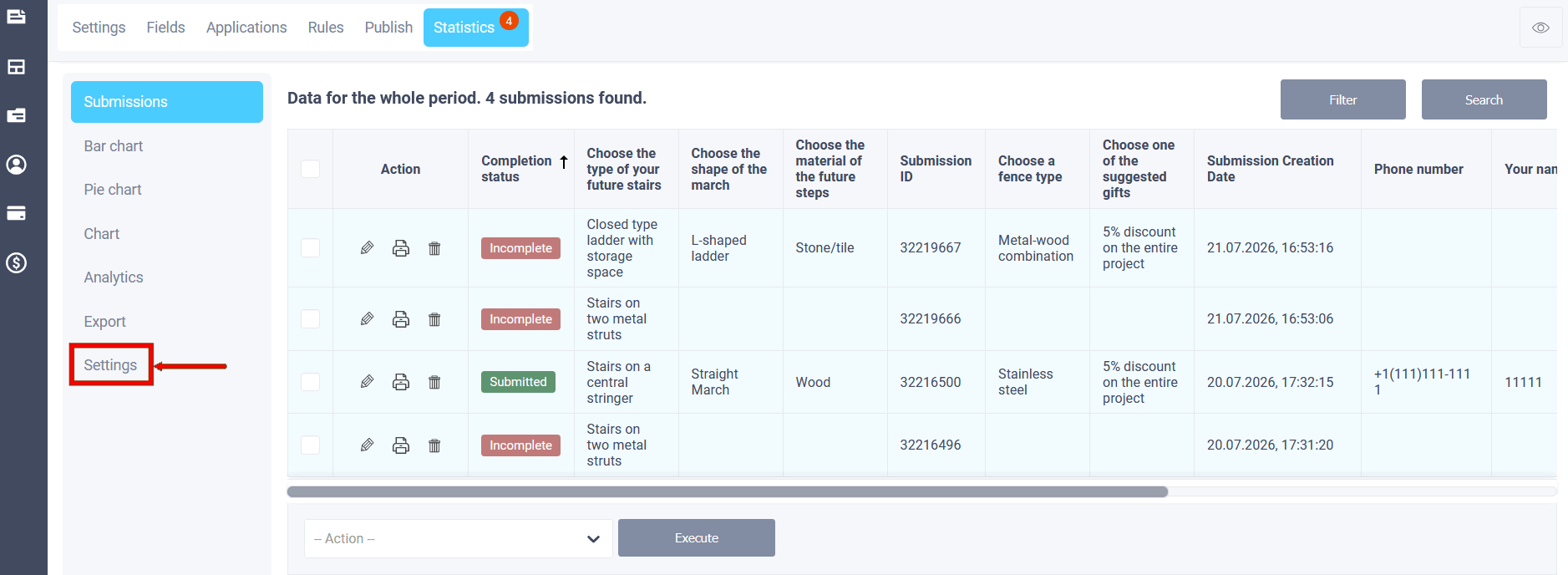
To enable this option, go to the Statistics - Settings tab and enable the "Completion Status" option:
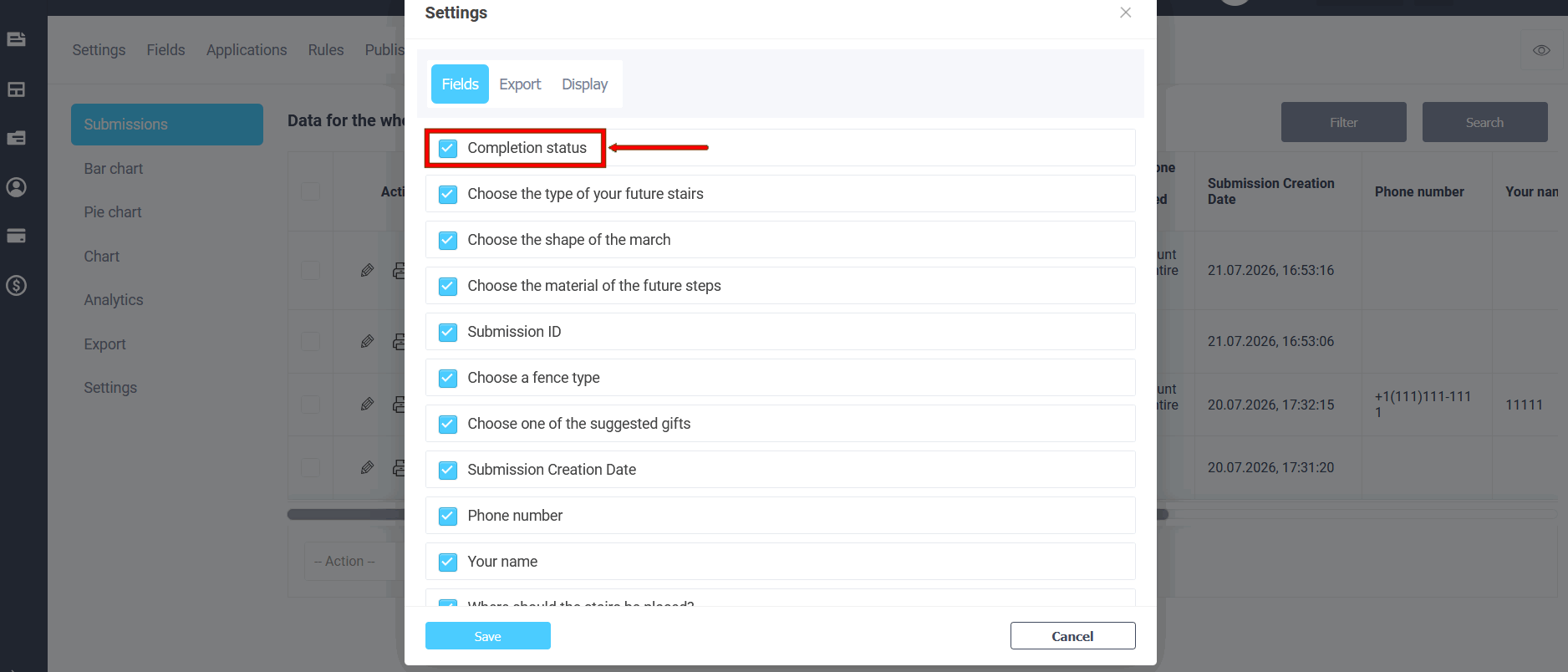
By enabling status in the statistics display settings, you can filter requests by it: for example, to view only incomplete submissions. Counters and general statistics still only count fully submitted requests; incomplete ones are not included.
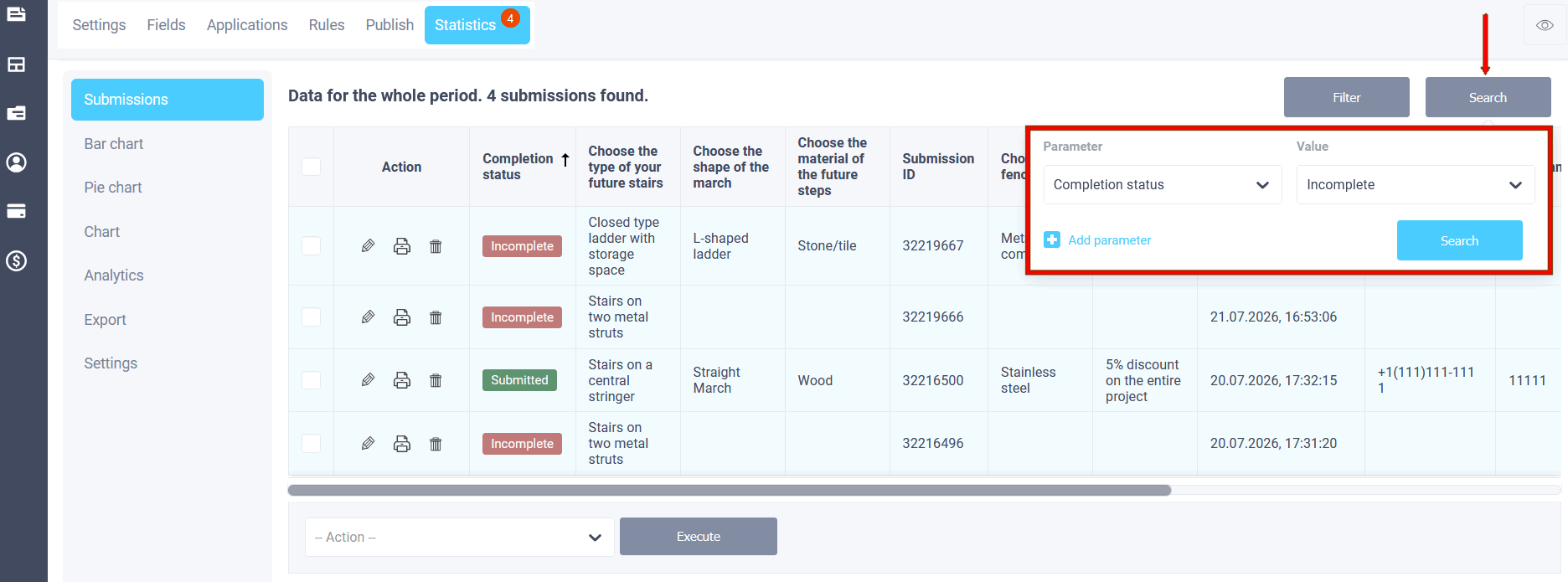
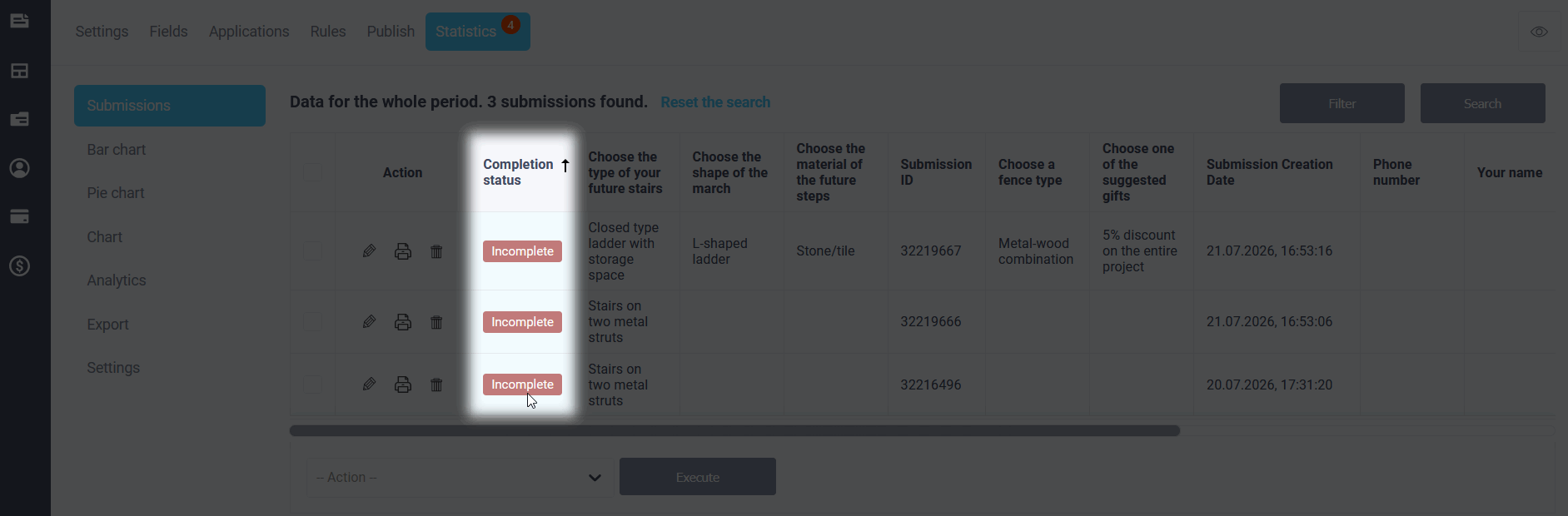
The column and filter are available if the form has step-by-step mode enabled or the "Form Saving" integration is enabled. For standard single-page forms without progress saving, this status is not displayed - applications in these forms only appear after submission.
We hope it will be easier to see where people are stuck on the form and to work with incomplete applications separately.
Have a nice day!